
Flight school operationsKRXE · KPIHKRXE --:-- LCL · ----Z

First call to checkride.

Tarmac is flight school software, built at Bravo 6 Flight Academy in Rexburg, Idaho. Other schools get in by invitation.

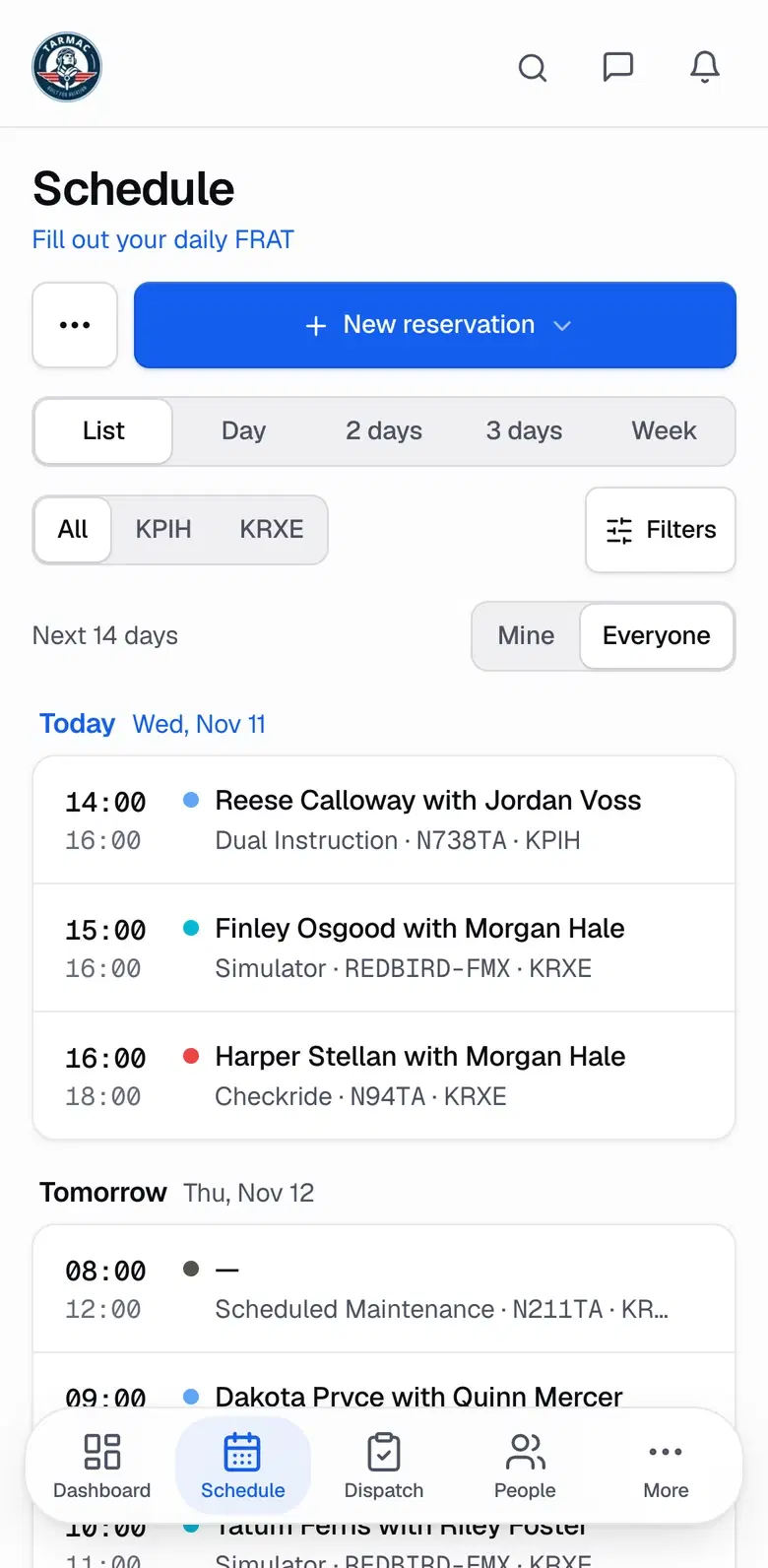
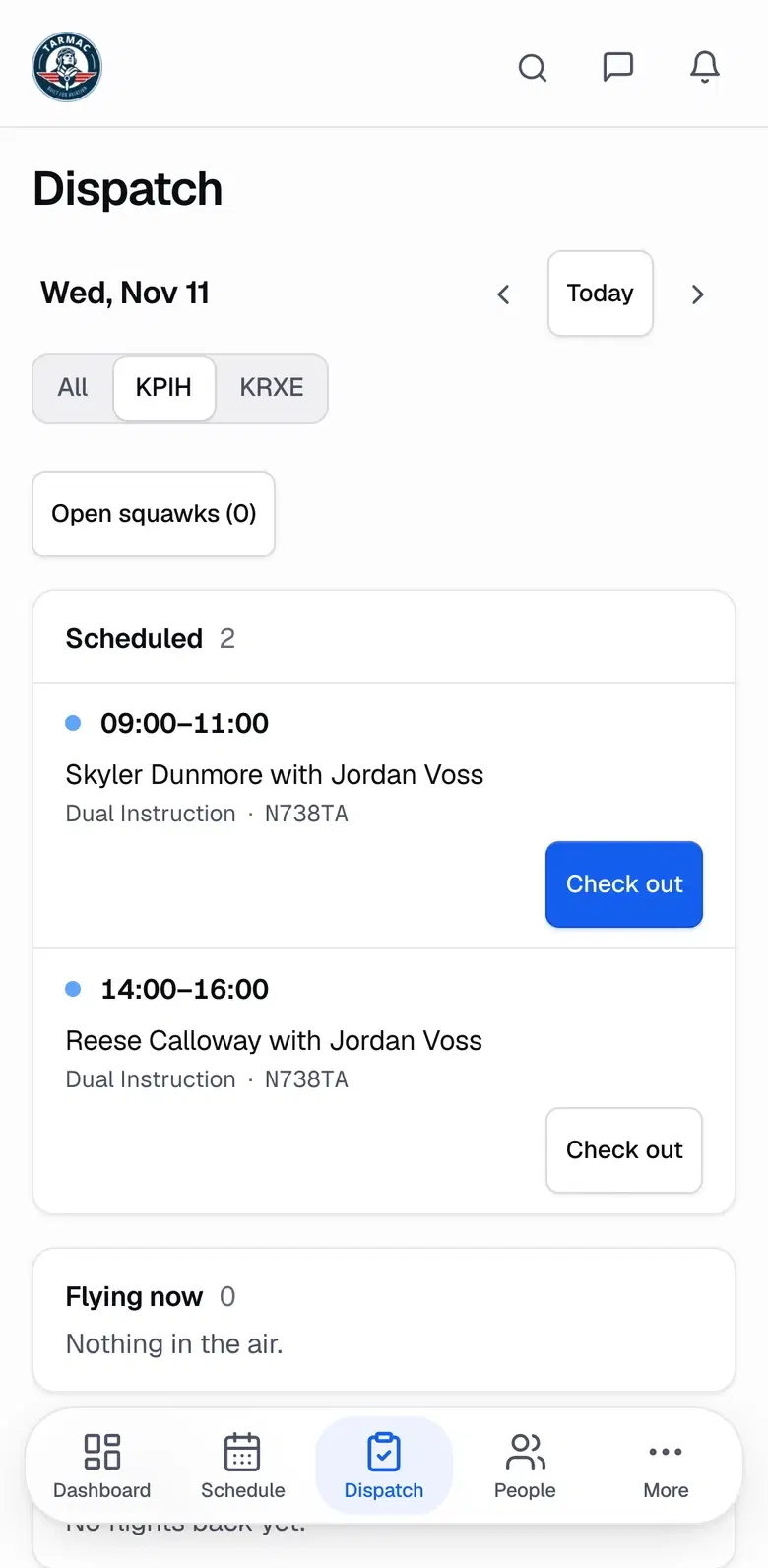
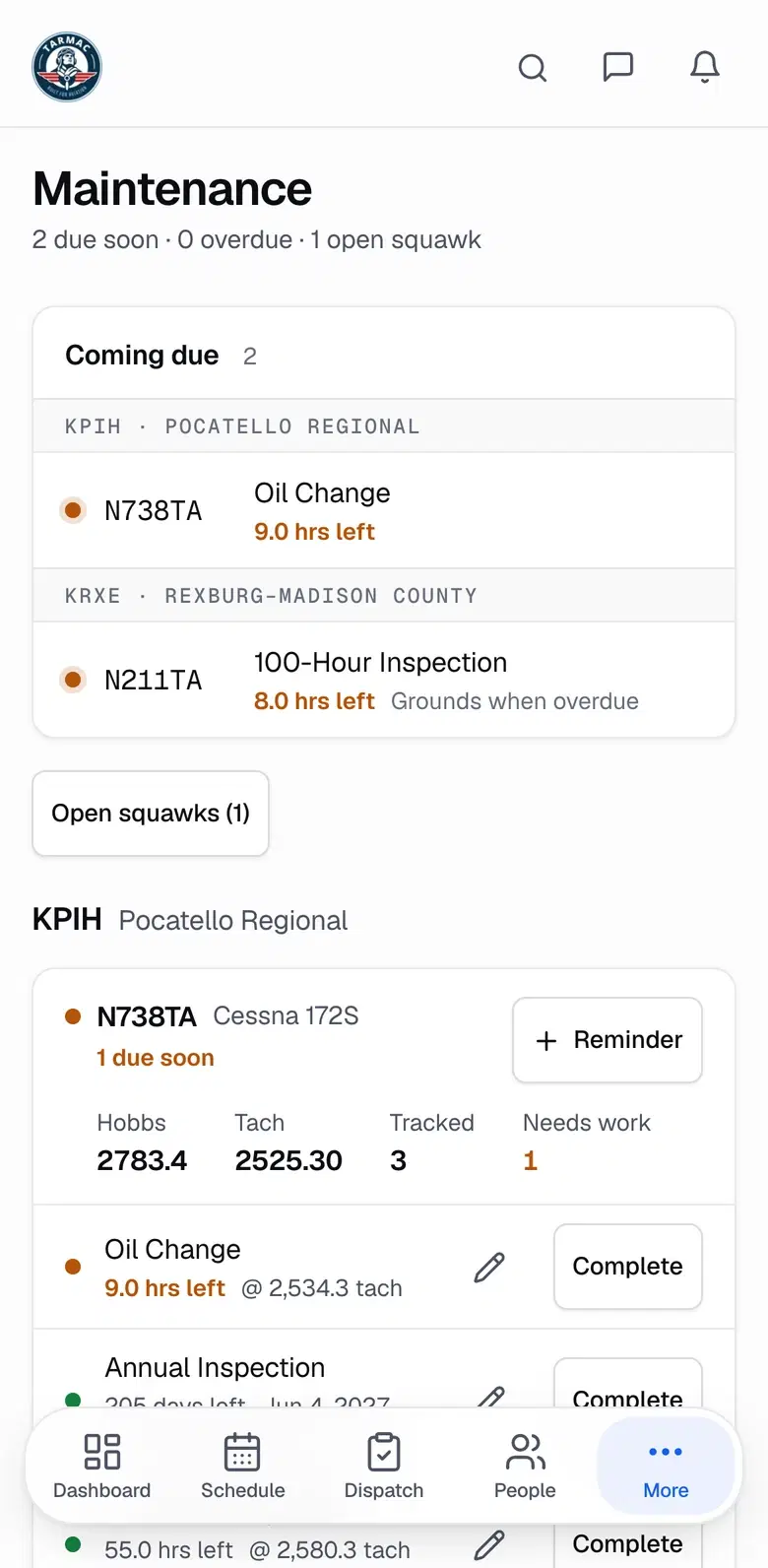
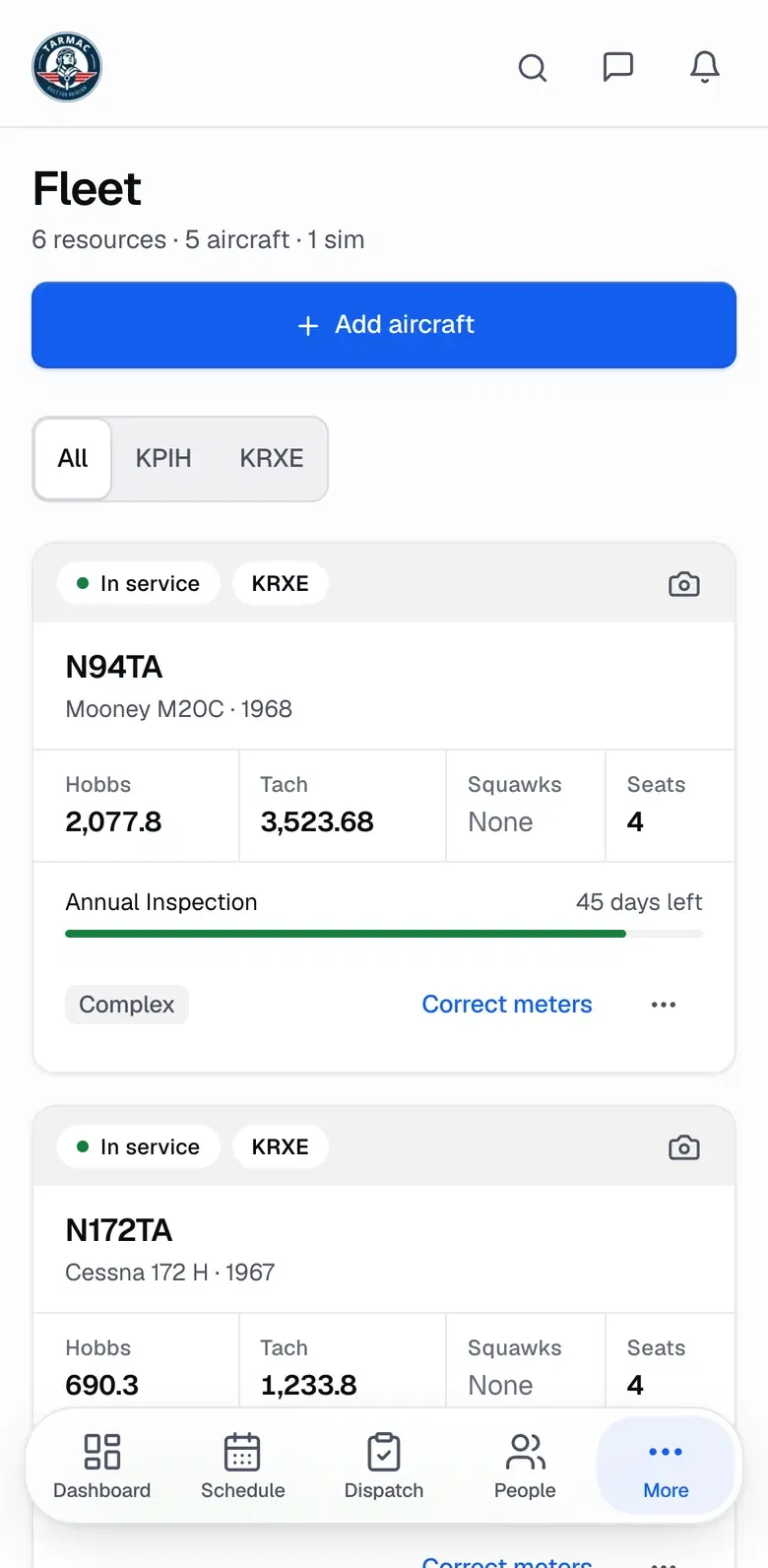
Tarmac’s schedule on a phone: today’s flights in a list, each with its time, who is flying, the airplane and the airport.Tarmac’s dispatch board on a phone: two scheduled flights, each with a Check out button, and nothing flying now.Tarmac’s maintenance page on a phone: an oil change due in 9 hours, a 100-hour inspection due in 8, and an annual due in 205 days.Tarmac’s fleet page on a phone: two airplanes in service, each with its Hobbs, tach, squawks and seats.

Schedule. Everyone’s flights for the next 14 days, as a list. Dispatch. Today’s flights at one airport, with Check out beside each one. Maintenance. What is coming due on each airplane, in hours or in days. Fleet. Each airplane’s Hobbs, tach and open squawks. The app’s own screens at phone size. The names and tail numbers are made up.

Follow one lesson through itN738TA · Lesson 20 · Tuesday

Scheduling, dispatch, maintenance, training records, safety and billing, all on the same records.

One set of records

More on each part

A booking on the schedule shows up on the dispatch board. Checking the airplane out reads its Hobbs and tach, and checking it back in logs the flight and emails the invoice.

Try it: set the Hobbs, report a squawk if there is one, and check the airplane in. Then one lesson goes through the whole app, from the booking to the signed record.

One check-in,
four desks.

Check inN172TAC172S · KRXEOut 07:30
Hobbs out4,812.6
4,814.0
CrewT. Cole with J. Park
DispatchToday · KRXE
N172TAFlying
Hobbs4,812.6
Out with T.C. / J.P. since 07:30
MaintenanceComing due
N172TA · 100-hour97.9 of 100 hrs
2.1 hrs left before it’s due
ShopOpen squawks
SQ-117Cowl fastener looseN52TA
One open squawk on the fleet
BillingT. Cole
No invoice yet. It’s raised when the airplane checks in.

Made-up airplane, made-up numbers. Nothing here is saved.

One lesson, start to finish

N738TA · Lesson 20 · Tuesday

The tail numbers, names and figures are made up for the pictures.

Schedule

Booked

The lesson goes on the schedule against the airplane and the instructor at the same time. Students can book their own from the portal.

In Schedule

  • Day, two-day, three-day and week views, and a list on phones.
  • Repeating bookings, daily, weekly or monthly. Change one, or that one and the ones after it.
  • Find me a time, New meeting, and Take an aircraft off the line.
  • Every booking keeps its history.
  • Anyone can subscribe to their flights in Google or Apple Calendar.
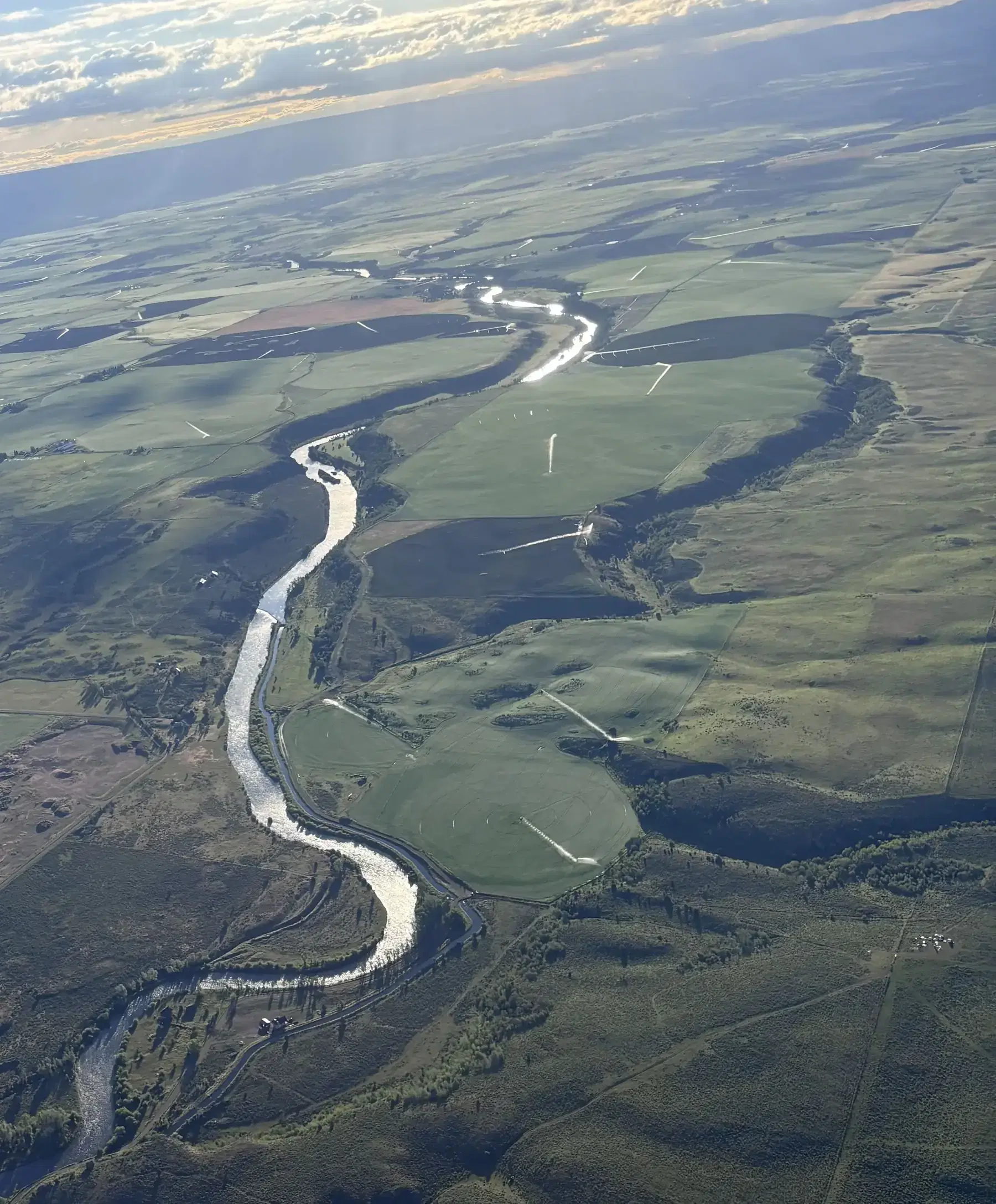
Schedule

Aircraft, simulators, instructors and rooms on one calendar.

Daily FRAT

Cleared

Before the flight comes the risk assessment: 26 questions in five sections, scored. This one comes to 9, a GO. A NO-GO would block the check-out.

In Daily FRAT

  • The five sections are the pilot’s experience, the pilot’s condition, weather, the aircraft and the route.
  • 30 or under is a GO. 31 to 60 means consult your CFI. Over 60 is a NO-GO.
  • Some answers are a NO-GO whatever the score, such as illness, alcohol, ceiling or visibility.
  • One FRAT covers the pilot’s day.
  • Students fill out their own in the portal.

Daily FRAT

Today’s flights, each with its flight risk assessment.

Dispatch

Out and back

Dispatch checks the airplane out with its Hobbs and tach, and checks the weather against the school’s minimums. Checking it back in logs the flight.

In Dispatch

  • Flights move from Scheduled to Flying now to Returned.
  • The school’s weather minimums are checked against the METAR. Going anyway takes a written reason.
  • A NO-GO risk assessment blocks the check-out.
  • Aircraft that are out show where they are, from ADS-B.
  • Checking in logs the flight and emails the invoice.

Dispatch

The day’s flights on one board.

Billing

Billed

Checking in applies the school’s rates and emails the invoice. It goes on the student’s account.

In Billing

  • Rates are applied at check-in, and the invoice is emailed then.
  • Unpaid invoices, recorded payments, and aging in 30-day buckets.
  • Sales by month, by aircraft, by instructor and by kind.
  • A full card number goes to the payment processor and never reaches Tarmac.

Billing

Invoices, payments and student balances.

Training

Graded and signed

The instructor grades each task, then the lesson. The recorded debrief becomes draft notes for the instructor to accept, and both of them sign the record.

In Training records

  • Each task is graded, then the lesson: satisfactory, unsatisfactory or incomplete.
  • Grading works offline on a phone and sends when it’s back online.
  • Instructors and students sign by PIN, by emailed link or in the portal.
  • A stage check can’t be given by the student’s own instructor.
  • Grading consistency compares task grades, stage-check agreement and re-flies.

Training records

Lessons graded against the syllabus.

In Debriefs

  • Recorded from the grading screen, and transcribed in the browser on that device.
  • Draft notes are a summary, topics and proposed assignments.
  • Each note is checked against the words in the transcript it came from.
  • The notes stay a draft until the instructor accepts or edits them.
  • A student can object to a recording. The audio is deleted after six months.

Debriefs

A recorded debrief becomes a transcript and draft notes.

What the student sees

The student portal

Students sign in to see their schedule and how far along their training is.

  • They book, move and cancel their own flights.
  • They fill out their own risk assessments and safety reports.
  • They sign their lesson records and agreements.
  • Their invoices and their balance are in it.

The portal, drawn in the app’s look and working by itself. The tail numbers are made up.

One student,
one record.

That was one lesson. The same record runs from the first phone call to the checkride.

  1. First call

    Front desk · Leads

    The calls list shows whose number it is, and a missed call is one click from a call back.

  2. Discovery flight

    Leads · Schedule

    Booked on the school’s own website with a hold on the slot. It lands on the schedule tagged with where the person came from.

  3. Enrollment

    People · Training

    Enrolled on a pinned syllabus revision, with a printable certificate of enrollment. Agreements are signed electronically, and an expired medical or document blocks booking until it’s renewed.

  4. Every lesson

    Schedule · Dispatch · Safety

    Booked on the schedule. At check-out Tarmac checks the paperwork, the balance and the weather against the school’s minimums. Graded against the syllabus, even without signal.

  5. Stage checks

    Training

    Given by a check airman, never for their own student, and signed on the same training record.

  6. Checkride

    Training

    Checkride and written-test results go on the record. Graduation shows each requirement’s required and actual figure, and the 60-day window to the checkride.

The rest of the school

Seven more of the app’s screens, drawn in its look and working by themselves. The names and tail numbers are made up.

Open a card to see what’s in it

In Maintenance

  • Reminders by calendar date or by meter hours.
  • Each one either grounds the aircraft when it’s overdue or only reminds.
  • Squawks carry photos, and one can be marked grounding.
  • A squawk or a due inspection opens a work order in the shop.

Maintenance

Inspections coming due, by hours or by date.

In Shop

  • Estimates, Authorized, In work, Completed, Invoiced.
  • Labor and parts on each work order, with an estimate to print.
  • Logbook entries are generated from the corrective actions.
  • Parts with labels and a camera scan, purchase orders and tool calibration.

Shop

Work orders from estimate to invoice.

In Safety

  • Anyone at the school can report a concern. Reports are confidential.
  • Hazards are rated on the ICAO matrix, likelihood by severity.
  • Corrective actions, audits with a sign-off, and an evidence pack.
  • Indicators such as the FRAT no-go rate and how long reports take to close.

Safety

Reports, the hazard register, audits and indicators.

In Team messages

  • Mentions, and any emoji as a reaction.
  • Photos and PDFs.
  • Pin a message, save one for later, or mark it unread.
  • Search, and who has seen a message.

Team messages

Channels for the whole school’s staff.

In Reports

  • 24 reports, and each one exports to CSV.
  • Sales by month, by aircraft, by instructor and by kind.
  • What is owed, by age, in 30-day buckets.
  • An export for the bookkeeper.

Reports

Flying, money, fleet and training.

In Tools

  • Crosswind: the headwind and the crosswind for a runway and a wind.
  • Density altitude and pressure altitude.
  • True airspeed and wind correction angle.
  • An E6B, and forecasts.

Tools

Six flight calculators and the forecasts.

In People

  • Students, instructors and staff on one roster.
  • Each person’s documents are kept with them.
  • Paperwork that is about to expire is listed.
  • The school creates every account and sends the invitation.

People

The roster, documents and paperwork about to expire.

Everything in it

  • Schedule

    Aircraft, simulators, instructors and rooms.

  • Daily FRAT

    Today’s flights, each with its risk assessment.

  • Dispatch

    Check out, flying now, check in.

  • Discovery flights

    Booked online, queued for a confirmation call.

  • Tools

    Six flight calculators, an E6B among them, and forecasts.

  • Fleet

    Meters, rates and weight and balance for each aircraft.

  • Maintenance

    Inspections coming due, and squawks.

  • Shop

    Work orders, parts and purchase orders.

  • Training

    Syllabus, grading, stage checks and checkrides.

  • People

    The roster, documents and paperwork about to expire.

  • Marketing

    Leads, and a call list of students.

  • Communication

    Team channels, mentions, photos and PDFs.

  • Safety

    Reports, the hazard register, audits and indicators.

  • Billing

    Invoices, payments and aging.

  • Reports

    Flying, money, fleet and training. Each exports to CSV.

  • Student portal

    What a student sees when they sign in.

Kept, not deleted.

Security and privacy
Records
Archived, never deleted. The audit history is kept for at least seven years.
Invoices
Voided, never edited. The ledger only adds.
Accounts
The school creates every account and sends the invitation.
Sign-in
Two-step with an authenticator app, required for every staff account.
Signatures
By PIN, emailed link or the portal. Emailed links stop working after seven days.
Safety reports
Confidential. A report that names someone never reaches that person.
Card numbers
Go to the payment processor and never reach Tarmac.
Tracking
The app has no analytics or advertising trackers.
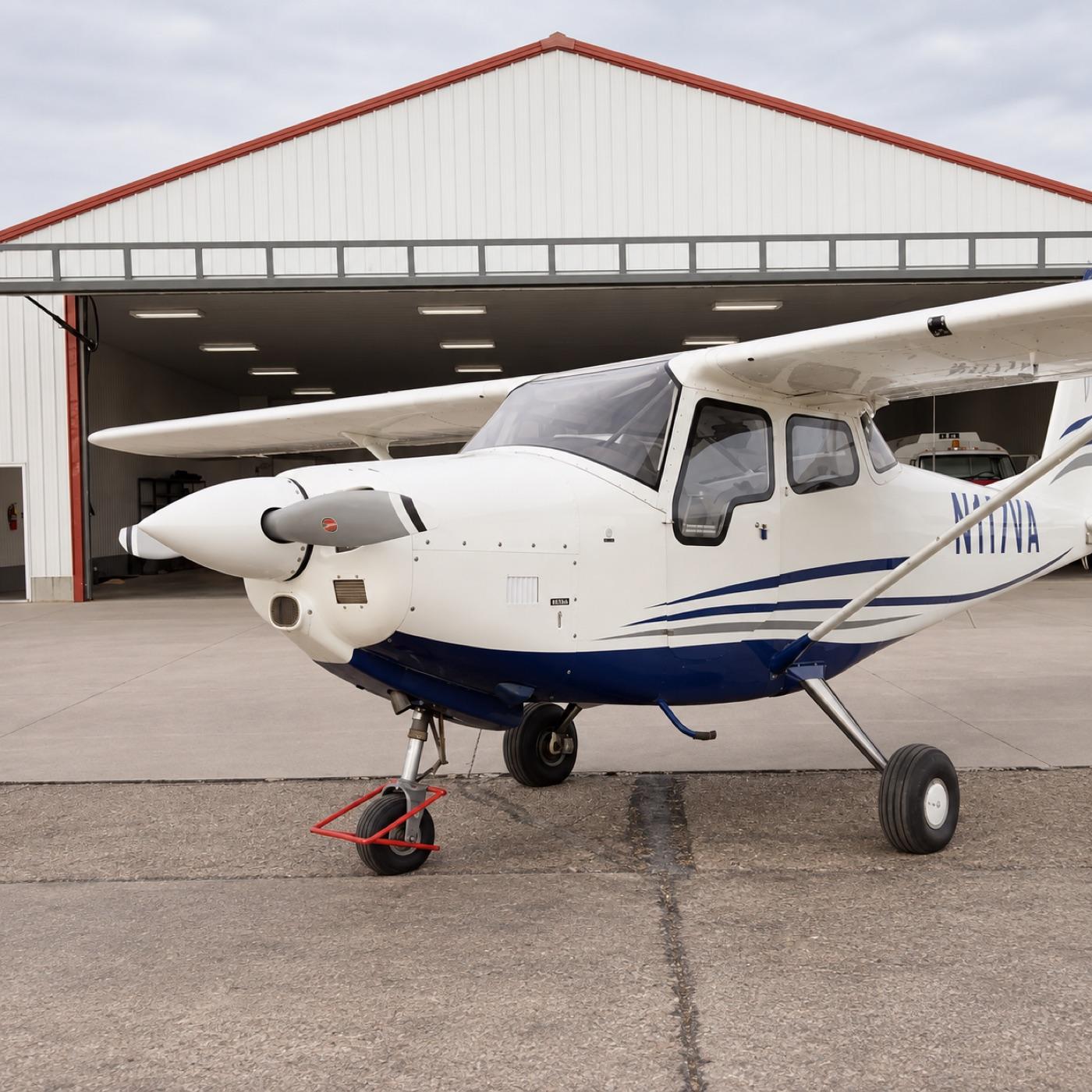
A white and blue Cessna, tail number N117VA, parked on the ramp in front of an open hangar.
N117VA outside the Bravo 6 hangar.

Built on a working ramp.

Tarmac is built inside Bravo 6 Flight Academy, with the people who dispatch, teach, fix and fly at its two Idaho airports. About Tarmac

KRXE
Rexburg, Idaho
KPIH
Pocatello, Idaho

Questions

  • What is Tarmac?

    Tarmac is software for running a flight school. Scheduling, dispatch, training records, maintenance, safety, billing, reports and a student portal all work from one set of records.

  • Does a flight have to be typed in more than once?

    No. A booking on the schedule shows up on the dispatch board. Checking the airplane back in reads the Hobbs and tach, logs the flight, applies the school’s rates and emails the invoice.

  • How does a flight school get Tarmac?

    Tarmac is invite only and there is no sign-up page. A school asks for early access and names the person who told them about it, and a person reads the request.

  • How much does Tarmac cost?

    There is no public price list. Tarmac is invite only, so the first step is to ask for early access.

  • Does Tarmac work on a phone?

    Yes. Tarmac runs in the browser on a phone, tablet or computer, and it can be added to a phone’s home screen. There is no app in the App Store or Google Play.

  • Do students use Tarmac too?

    Yes. Students sign in to their own portal to book, move and cancel flights, sign lesson records, and see their training progress, their invoices and their balance.

Invite only.

There’s no sign-up page. If someone who uses Tarmac told you about it, tell us who sent you and a person will read your request.

Request early access